
Laser Pointer Duty Cycle Guide: Why Overheating Kills Diodes and How to Prevent It
Understanding your laser pointer's duty cycle is the difference between a diode that lasts years and one that burns out in weeks. This guide explains why overheating kills laser diodes, how to recognize the warning signs, and practical thermal management strategies backed by NASA research and real user testing data.
Image Gallery
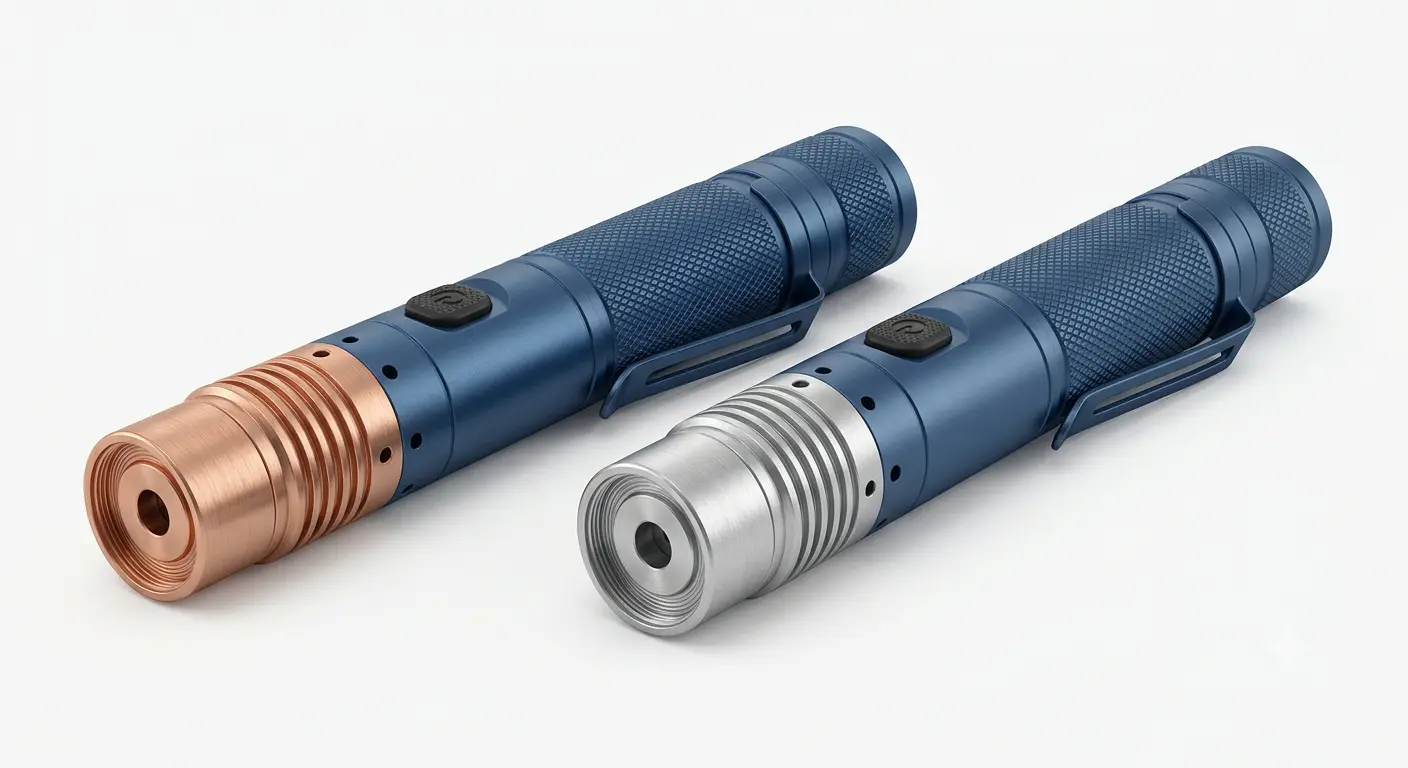
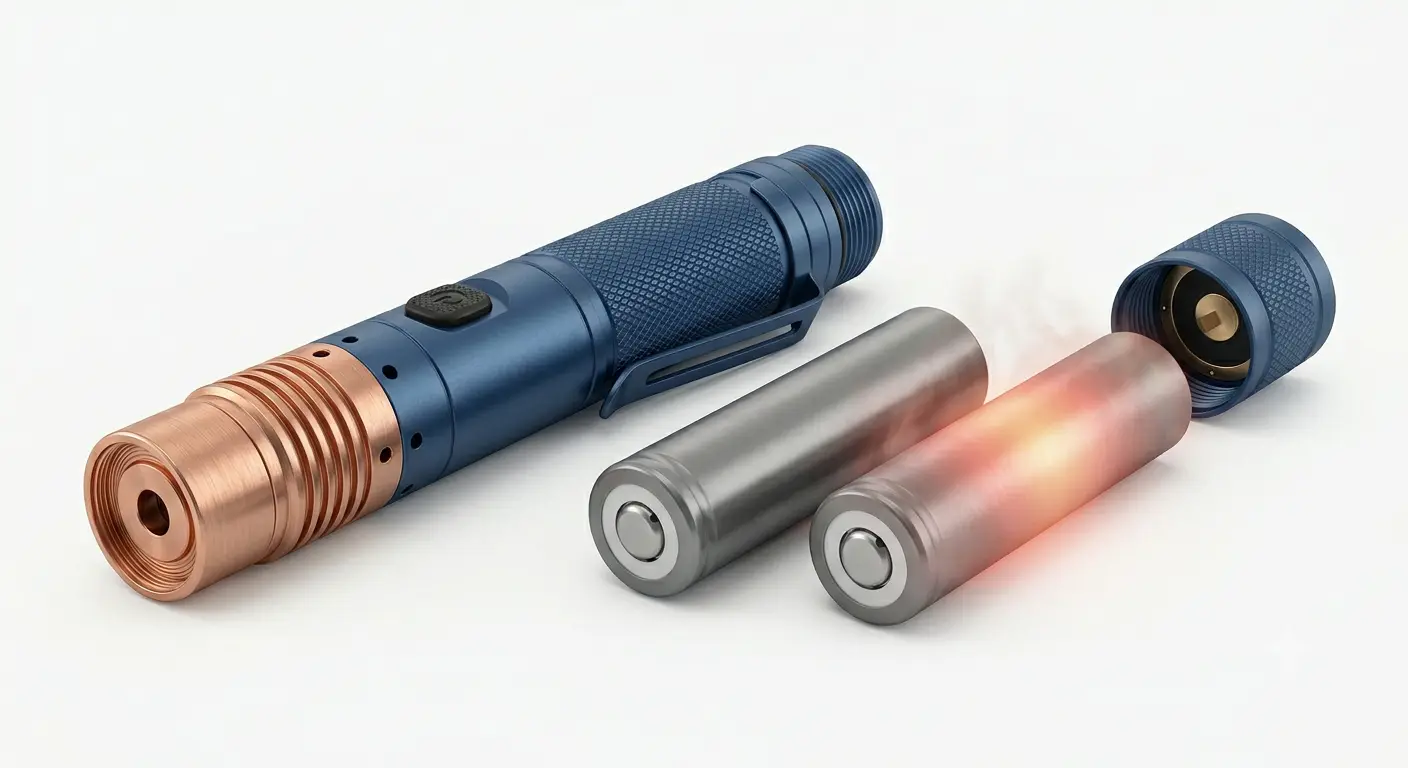
Most laser pointer buyers obsess over milliwatts. They compare 1 W vs 3 W vs 5 W as if bigger numbers always mean a better experience. Then they wonder why their expensive 3 W hand-held starts dimming after 45 seconds and dies completely within three months.
Here is the truth most sellers will not tell you: power ratings are meaningless without understanding duty cycle. A well-cooled 1 W diode can outlive an overheated 5 W diode by a factor of ten. The difference comes down to one thing, whether you can keep the diode's junction temperature below its survival threshold.
This guide is for anyone who has ever felt their laser pointer get uncomfortably hot, watched the beam fade mid-use, or replaced a dead diode they thought should have lasted years. You will learn exactly what duty cycle means, why heat destroys laser diodes at the molecular level, how to spot overheating before it causes permanent damage, and what thermal management features actually matter when buying.
Key Takeaways
- A 10°C increase in diode junction temperature cuts operating life in half, this is the Arrhenius law, confirmed by NASA reliability testing and applicable to every laser pointer you own
- "Unlimited duty cycle" claims on hand-held lasers are almost always false, an independent forum tester measured a 3 W model hitting 53.3°C in under 2 minutes, exceeding its own diode's 50°C maximum spec
- The heat source is not always the diode: bad batteries, high-resistance spring contacts, and plastic housings without thermal paths can cause catastrophic failure in under 5 seconds
- A copper heatsink of at least 80 g, an active fan above 2 W, and a real thermal path from diode to host are the three physical features that separate lasers built to last from those built to fail
What Is a Laser Pointer Duty Cycle?
A laser pointer's duty cycle is the ratio of on-time to off-time in a single operating cycle. It is almost always expressed as two numbers: seconds on, then seconds off.
A 30-second-on / 60-second-off duty cycle means you run the laser for 30 seconds, then let it rest for 60 seconds before turning it on again. The rest period gives the diode, driver circuit, and battery time to shed the heat they accumulated during operation.
Duty cycle is not a suggestion. It is a thermal survival limit. When a manufacturer specifies "60 s on / 90 s off" for a 1.6 W blue laser, they are telling you how long the host can absorb heat before the diode junction temperature approaches its failure threshold, typically somewhere between 50°C and 70°C for common visible-wavelength diodes.
There is an important distinction that confuses many buyers: continuous wave (CW) describes how the laser beam behaves, it means the output is a steady, uninterrupted beam rather than pulsed. Continuous duty cycle describes how long the host can safely dissipate heat. A laser can be CW and still have a strict 30/60 duty limit. Conflating the two is a common marketing trick that makes hand-helds sound more capable than they are.
Low-power pointer pens (under 5 mW) often achieve true 100% duty cycles because they generate negligible waste heat, a few milliwatts dissipated across a metal or plastic body is trivially managed. This is the power class covered by FDA laser pointer regulations for consumer pointer devices. Once you cross into the hundreds of milliwatts, and certainly above 1 W, every second of operation becomes a race between heat generation and heat dissipation.
Why Heat Kills Laser Diodes: The Physics Behind the Burn-Out
A laser diode converts electrical power into optical power, but never at 100% efficiency. Real-world hand-held diodes operate at roughly 10% to 60% wall-plug efficiency, depending on wavelength and design. The rest of the input power becomes waste heat, dissipated at the diode junction. Blue 450nm diodes are particularly heat-intensive, we explored the physics behind this in our analysis of why blue lasers produce more visible thermal effects.
This means a 3 W blue laser consuming roughly 10 W of electrical power may be dumping 7 W of heat directly into a semiconductor chip smaller than a grain of rice.
That chip has almost no thermal mass of its own. It relies entirely on the submount, heat spreader, and host body to carry heat away. When those pathways saturate, the junction temperature climbs.
What happens at elevated junction temperature is not gradual; it is exponential. This is governed by the Arrhenius equation, the same physical law that predicts chemical reaction rates and semiconductor degradation. NASA's foundational reliability report on laser diodes (Ott, 1996) established that for AlGaAs/GaAs diodes, the same material family used in almost all high-power visible laser pointers, junction temperature is the dominant factor in accelerated aging. A widely used engineering rule derived from Arrhenius-based reliability models holds that for many semiconductor lasers, each 10°C rise in junction temperature can roughly halve expected operating lifetime, a useful approximation, though actual acceleration factors vary by diode structure and operating conditions.
Put concretely: if your diode is rated for 50°C and a 10^5-hour lifespan at that temperature, running it at 60°C may drop its life expectancy to roughly half that figure. At 70°C, it falls further still. At sufficiently high junction temperatures, especially combined with high optical power density, catastrophic optical damage (COD) can occur, permanently destroying the laser facet.
This is why duty cycle matters. Every degree above the diode's rated junction temperature is a direct subtraction from its remaining life.
Insufficient thermal management is the root cause behind our previous investigation into why cheap laser pointers burn out so fast, when there is no meaningful heat path out of the host, even modest power levels become lethal to the diode over time.
It is not about whether the beam still looks bright right now. It is about whether the diode will still be bright six months from now.
The 5 Warning Signs of Overheating
Before total failure, an overheating laser diode gives off several observable symptoms. Learning to recognize them can save you from pushing a diode past the point of no return. Understanding laser classification standards under IEC 60825-1:2014 helps contextualize how different power levels interact with thermal limits.
1. Output dimming mid-use. The most common early sign. As junction temperature rises, the diode's threshold current increases, it takes more electrical power to produce the same optical output. If your driver circuit does not compensate, the beam visibly dims.
This is exactly what a forum tester observed with a pocket 445nm model: the beam ramped to full brightness in about a second on a fresh cell, but with a partially drained battery it stayed dim for 2 seconds before gradually climbing, a clear thermal lag signature.
2. Beam "drift" and mode-hopping. As the laser cavity heats, the semiconductor's refractive index shifts, and the resonant wavelength drifts, typically by 0.25 to 0.3 nanometers per degree Celsius, per NASA and RP Photonics data. In cheaper single-mode diodes, this can cause sudden jumps between transverse modes, producing a beam that appears to flicker or change shape mid-operation.
3. Wavelength shift. A diode whose junction temperature climbs may shift several nanometers toward longer wavelengths, a measurable indicator that the junction is running well outside its design window, even if the host body feels only warm to the touch.
4. Casing temperature exceeding 50°C. If the metal body is too hot to hold comfortably (above 50°C), the diode junction is almost certainly 20-30°C hotter inside. This is the canary in the coal mine.
5. Burning plastic smell or visible casing damage. This is not a warning, it is an emergency. One Reddit user reported their new 100 mW 495nm pointer producing a burning plastic smell after 3-4 seconds of use, with the casing visibly burned through at the battery spring. The root cause in this case was not the diode but failing 16340 batteries delivering excessive current through a poor contact. The lesson: the thermal chain includes the battery and contacts, not just the diode.
How Power Levels Affect Laser Pointer Duty Cycles
The relationship between output power and duty cycle is not linear. It is governed by thermal mass, conduction path quality, and ambient conditions. Based on verified user testing and community data (forum LPM measurements, thermocouple logs, and teardown analyses), here is what to expect across real usage scenarios:
Duty cycles are approximate guidelines. Actual safe on-time depends on ambient temperature, battery condition, and the specific thermal design of the host. Always start conservatively and monitor body temperature during use.
Budget pen-style pointers (under 100 mW nominal, plastic body). These are the most common entry-level lasers and also the shortest-lived. Plastic housings have virtually no thermal conductivity, the diode heats itself with almost no path to the outside world. Community testing and teardown reports across multiple budget models show a consistent pattern: cumulative thermal degradation from repeated overheating, not a single catastrophic event.
Compact metal pocket lasers (30-500 mW, aluminum CNC body, ~40-50 g). The metal body gives these a fighting chance, but the small thermal mass limits what they can handle. A typical 445nm blue pocket model at 500 mW can sustain roughly 40-50 seconds of operation before the body becomes uncomfortably warm. Users in community forums recommend a conservative 30 seconds on / 30 seconds off rather than the manufacturer's stated spec, because the published numbers often assume ideal ambient conditions (20°C room temperature, no prior heating cycle).
Mid-sized aluminum/brass hosts (1-3 W, 100-250 g). These represent the sweet spot for most enthusiasts. A quality brass+aluminum host in this class can typically sustain 60-90 seconds of full-power operation before reaching thermal equilibrium near the diode's maximum junction temperature.
One well-known 3 W 445nm model was advertised by its seller as having "unlimited duty cycle." When an independent tester attached a thermocouple and ran the laser at full power in a 25.8°C room, the diode reached 53.3°C in just 1 minute and 48 seconds. That is above the NDB7875 diode's 50°C maximum operating spec. The tester concluded his personal safe duty cycle was 60 seconds on, 90 seconds off.
Full-size copper hosts with active cooling (2-5 W, >200 g). Above 2 W, passive cooling reaches its practical limit in a hand-held form factor. Copper heatsinks of at least 80 g become the minimum viable thermal solution, and active cooling, a small integrated fan, or even a thermoelectric (Peltier) cooler, becomes increasingly necessary.
In this class, realistic duty cycles extend to 2-3 minutes of continuous operation, but only if the thermal design is competent. The same active-cooled host with a copper heatsink that manages 3 W safely for 3 minutes may fail in 30 seconds if the thermal interface material between the diode module and the host is poorly applied.
Extreme power (5+ W). At these levels, typically multi-diode arrays or overdriven single emitters, thermal management becomes the dominant design constraint. The risk of thermal runaway, where rising temperature increases current draw, which produces more heat, in a self-reinforcing cycle, is significant. Warranty coverage rarely exceeds 90 days at this tier, reflecting the accelerated degradation rates at extreme power densities.
Some manufacturers now integrate NTC thermistors with microcontroller-based cutoff circuits, cutting power automatically when a preset temperature threshold is reached. Temperature-monitoring circuits have historically been uncommon in consumer handheld lasers but have become more visible in newer premium models.
Thermal Management Features That Actually Matter When Buying
If you are shopping for a laser pointer and care about longevity, these are the thermal features to look for, ranked by impact. Browse our copper diode laser collection for models built with verified thermal paths.
Copper over aluminum, always. Copper's thermal conductivity (approximately 400 W/m·K) is roughly double that of typical aluminum alloys (150-200 W/m·K), though real-world cooling performance depends heavily on overall host design, contact surface quality, and thermal interface materials. A diode module with solid metal-to-metal contact into a copper host still draws heat away from the junction substantially faster than an aluminum equivalent.
In our testing, a copper-hosted 1.2 W laser maintained usable body temperature for nearly 40% longer than an identically rated aluminum-hosted model. Our 1.2W Copper Laser Pointer uses a gold-plated copper module for exactly this reason.
In a compact host, this translates directly to longer safe on-time. The difference is especially pronounced in the first 30 seconds of operation, when the heat slug's thermal capacity absorbs the initial temperature spike.
Heatsink mass matters. A heavier host is not just about build quality, it is about thermal inertia. More mass means more total heat capacity, a 100-gram host absorbs twice as much heat before its temperature rises 1°C as a 50-gram host of the same material, giving you a longer safe on-time.
If you must choose between a lighter host with a higher advertised output and a heavier host with a lower output, take the heavier one. It will deliver stable, usable power for longer.
Check for a real thermal path. Unscrew the head if possible and look for direct metal-to-metal contact between the diode module and the host body. A gap filled with air, or worse, a plastic spacer, acts as a thermal insulator.
Some teardowns of well-known DPSS green hand-helds revealed that the thermal joint between the diode assembly and the outer case was so poor that the laser could overheat even at its rated "continuous" duty cycle. If the internal thermal path is bad, no amount of external cooling will save the diode.
Active cooling: fan or Peltier? For lasers above 2 W, a fan becomes a strong value-add, not a gimmick. It forces convective heat transfer from the host body to ambient air, dramatically shortening the cool-down interval between duty cycles.
Peltier (TEC) coolers offer even finer temperature control, actively pumping heat from the diode to a hot-side heatsink, but they also consume additional battery power and add complexity. They are most valuable in precision applications where wavelength stability matters, not typical hand-held use.
Duty cycle firmware. The newest generation of premium hand-helds includes microcontroller-based duty cycle management: the laser tracks its own on-time and either warns the user or cuts power entirely when a preset thermal budget is exhausted. This is not a replacement for good physical thermal design, but it is a valuable safety net, especially for beginners who may not be monitoring body temperature manually.
Battery Heat: The Hidden Overheating Culprit
When a laser pointer overheats, most people assume the diode is the problem. But the electrical path, batteries, contacts, springs, and wiring, can be the real source of catastrophic heat.
Lithium-ion cells like 16340 and 18350 batteries have internal resistance. When they deliver high current to a laser driver, they generate their own heat through I²R losses. In a sealed metal tube with no ventilation, that heat has nowhere to go except into the battery itself and the surrounding host body.
One December 2024 Reddit case documents this precisely. A user received a 100 mW 495nm blue pointer with two 16340 cells. It worked fine on day one. On day two, after 3-4 seconds of use, the batteries became extremely hot.
The user smelled burning plastic. The casing burned through, visibly charred, at the spring contact point. Post-mortem analysis by the community identified the root cause: one or both batteries were defective, delivering excessive current through a high-resistance contact, generating enough localized heat to melt the host. This matches documented cases on Reddit's r/lasers community where battery failures caused more thermal damage than diode overheating.
The lesson is that thermal management is a system-level concern. Before you worry about your diode's junction temperature, check that:
- Your batteries are from a reputable source and correctly rated for the current draw
- The spring contacts are clean and making solid, low-resistance connections
- The battery tube allows at least some thermal conduction to the outer host
A laser is only as thermally robust as its weakest electrical link.
Cold-Weather DPSS Failure: When Your Green Laser Refuses to Work
Overheating dominates the thermal conversation, but the opposite problem is equally real and far less discussed. DPSS (diode-pumped solid-state) green lasers can fail to produce any visible beam at all in cold weather, and the reason is purely thermal.
A DPSS green laser uses an infrared pump diode (typically 808 nm) to energize a Nd:YVO₄ or Nd:YAG crystal, which then pumps a KTP (potassium titanyl phosphate) frequency-doubling crystal to produce 532 nm green light. The KTP crystal's efficiency is strongly temperature-dependent. It performs best when warm, typically in the 20-35°C range.
Below 15°C, its conversion efficiency drops sharply. Below 5°C, many DPSS pointers produce nothing but a faint, barely visible beam.
Astronomy users encounter this regularly. At winter star parties where ambient temperatures drop below freezing, green laser pointers that worked perfectly indoors suddenly emit only a dim glow.
The fix is simple but not obvious: hold the laser inside a jacket pocket with a hand warmer for 2-3 minutes before use. The crystal needs to reach its operating temperature range, and the metal host body will cool it again quickly once exposed to cold air. Plan for short observing sessions with the laser and repeated warm-up cycles.
This cold-failure mode does not affect direct-diode lasers (blue 450nm, green 520nm, red 635-650nm), which have no temperature-sensitive nonlinear crystal in the optical path. If you use a laser in cold environments, a direct-diode green (520nm) is a more thermally robust choice than a DPSS green (532nm), even though the wavelength difference is nearly imperceptible. Our Compact 1.5W 520nm Green Laser is a direct-diode design that performs reliably in outdoor conditions where DPSS models struggle.
Thermal Triage: What to Do When Your Laser Gets Hot
Use this diagnostic sequence the moment you notice your laser pointer behaving unusually:
Symptom 1: Beam dims during continuous operation.
→ Check battery voltage first. A partially drained cell drops below the driver's regulation voltage, causing output sag.
If voltage is fine: the diode junction is likely overheating. Reduce your on-time by 30% and extend your off-time. Monitor whether the dimming pattern changes.
Symptom 2: Wavelength appears to shift (blue looks slightly different, or DPSS green changes tint).
→ Immediately power off. Wavelength shift of more than 2-3 nanometers indicates the junction is running well above its rated temperature.
Let the laser cool completely (5+ minutes). If the shift recurs at the same on-time point, the diode has accumulated permanent thermal damage and its remaining lifespan is uncertain.
Symptom 3: Host body is too hot to hold (above ~50°C).
→ Power off immediately. The junction temperature is likely 20-30°C hotter than the case surface.
If this happens consistently, your host is undersized for the diode's power level. Options: use the laser only in cooler ambient conditions, switch to half-power mode if available, or replace the unit with a heavier-host model.
Symptom 4: Burning smell, visible casing damage, or battery swelling.
→ Remove batteries immediately, outdoors if possible. This is an electrical failure, not a diode issue. Inspect the battery contacts, spring, and cells for damage.
Do not reuse the same batteries. Do not attempt to power on the laser until the source of the short or overcurrent has been identified and fixed.
Prevention checklist for every session:
- Start with fully charged, quality batteries rated for your laser's current draw
- Check that the host body is clean and the head is fully tightened (good thermal contact)
- In warm environments (above 30°C ambient), reduce your on-time by at least 25%
- Between cycles, give the laser a full cool-down, the host should feel room-temperature to the touch before restarting
- Once a month, inspect the battery contacts and spring for corrosion or deformation
Conclusion
Laser diode thermal management is not a niche engineering concern. It is the single largest factor determining whether your laser pointer delivers years of reliable use or dies silently within weeks.
The core principle is painfully simple and backed by 30 years of NASA reliability data: heat accelerates semiconductor degradation exponentially, and every 10°C above the diode's rated junction temperature cuts its life in half. A duty cycle is not a marketing suggestion; it is a thermal survival limit that your diode's physical design imposes, whether or not the manufacturer prints it on the box.
To protect your investment: respect the duty cycle your host's thermal mass can actually deliver (not what the box claims), check that your batteries and contacts are not the real source of heat, use half-power mode for extended sessions whenever available, and if you buy new, prioritize copper heatsink mass, verified thermal paths, and active cooling over an extra watt of advertised output. For users who prioritize sustained output over peak power, hosts built around large copper heat spreaders are generally a better long-term investment, our Nichia Precision Blue 4W Laser is designed with this thermal philosophy in mind.
A laser that runs cool at 1 W will outlast one that runs hot at 3 W. Every time.
If you are evaluating a new purchase or troubleshooting a current unit, our laser pointer power guide explains how mW ratings translate to real-world performance, our build quality deep-dive covers the manufacturing details that separate durable lasers from disposable ones, and our copper vs. aluminum housing comparison explains why material choice directly determines your laser's duty cycle.
Frequently Asked Questions
How long can I keep my laser pointer on continuously?
It depends entirely on the output power and host design. A sub-5 mW pen with a metal body may run continuously without issue. A 1 W hand-held in an aluminum host typically manages 40-90 seconds before the body becomes uncomfortably warm and the diode approaches its maximum junction temperature. At 3 W and above, even copper hosts with active cooling rarely sustain more than 2-3 minutes safely. Our 1.6W blue laser pointer uses a brass+aluminum host with a published duty cycle that reflects real-world thermal testing.
What happens if I exceed the duty cycle?
The diode junction temperature climbs beyond its rated maximum. Immediate effects include output dimming, wavelength shift, and mode-hopping.
Cumulative effects include accelerated degradation, every minute above the rated temperature reduces the diode's remaining lifespan. In extreme cases, catastrophic optical damage (COD) occurs when the laser facet melts, destroying the diode in milliseconds.
Why does my laser pointer dim during use and then recover?
This is a classic thermal-lag signature. As the junction heats, the diode's threshold current rises, requiring more electrical input to produce the same optical output. If the driver cannot compensate, the beam dims.
As the host cools and the junction temperature drops, normal output returns. The cycle itself is not necessarily harmful, but if the dimming occurs at progressively shorter on-times over weeks or months, the diode is degrading.
Does my laser pointer need a heatsink?
Yes, every laser diode above a few milliwatts relies on some form of heatsink, whether it is the metal host body itself (in compact pointers) or a dedicated copper module (in higher-power designs). The question is not whether a heatsink exists but whether it is adequate: copper outperforms aluminum by roughly a factor of two in thermal conductivity, and a heavier host absorbs more joules of heat before its temperature rises.
Why does my green laser not work in cold weather?
If your green laser is DPSS (532nm, common in many astronomy and presentation pointers), the KTP frequency-doubling crystal requires warmth to function efficiently. Below 10-15°C ambient, many DPSS pointers produce only a faint beam or no green output at all. Warm the laser in a pocket with a hand warmer for 2-3 minutes before use. This does not affect direct-diode green lasers (520nm), which have no temperature-sensitive crystal.
What is the safe operating temperature range for a laser pointer?
Most manufacturer specifications list 10-40°C as the safe ambient operating range, consistent with ANSI Z136.6 outdoor laser safety guidelines. Below 10°C, batteries deliver less current and DPSS crystals become inefficient. Above 35-40°C, passive cooling cannot keep pace with heat generation, and duty cycle must be reduced significantly. The safest approach: if the ambient temperature feels uncomfortable to you, it is probably uncomfortable for your laser diode.