
Laser Pointer Accessories Guide: Batteries, Chargers, Cases, Tripod Mounts & Beam Tools
Most "broken" laser pointers aren't broken at all, the battery, charger, or mount is the real culprit. This guide covers every accessory category you'll encounter, from spotting counterfeit 18650s to building a $3 telescope mount, with a full compatibility matrix for M9 × 0.5 threads, cold-weather battery swaps, and OD goggle calculations.
Image Gallery
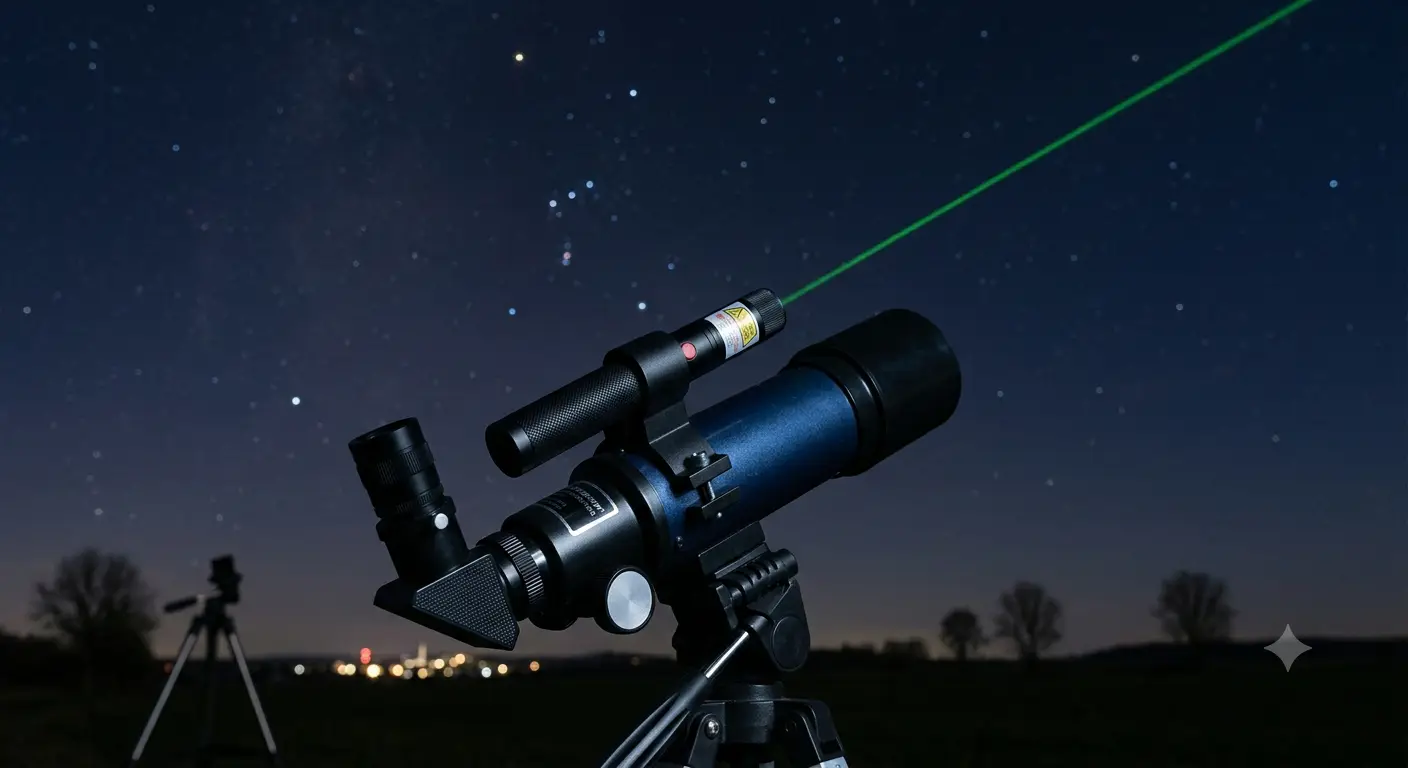
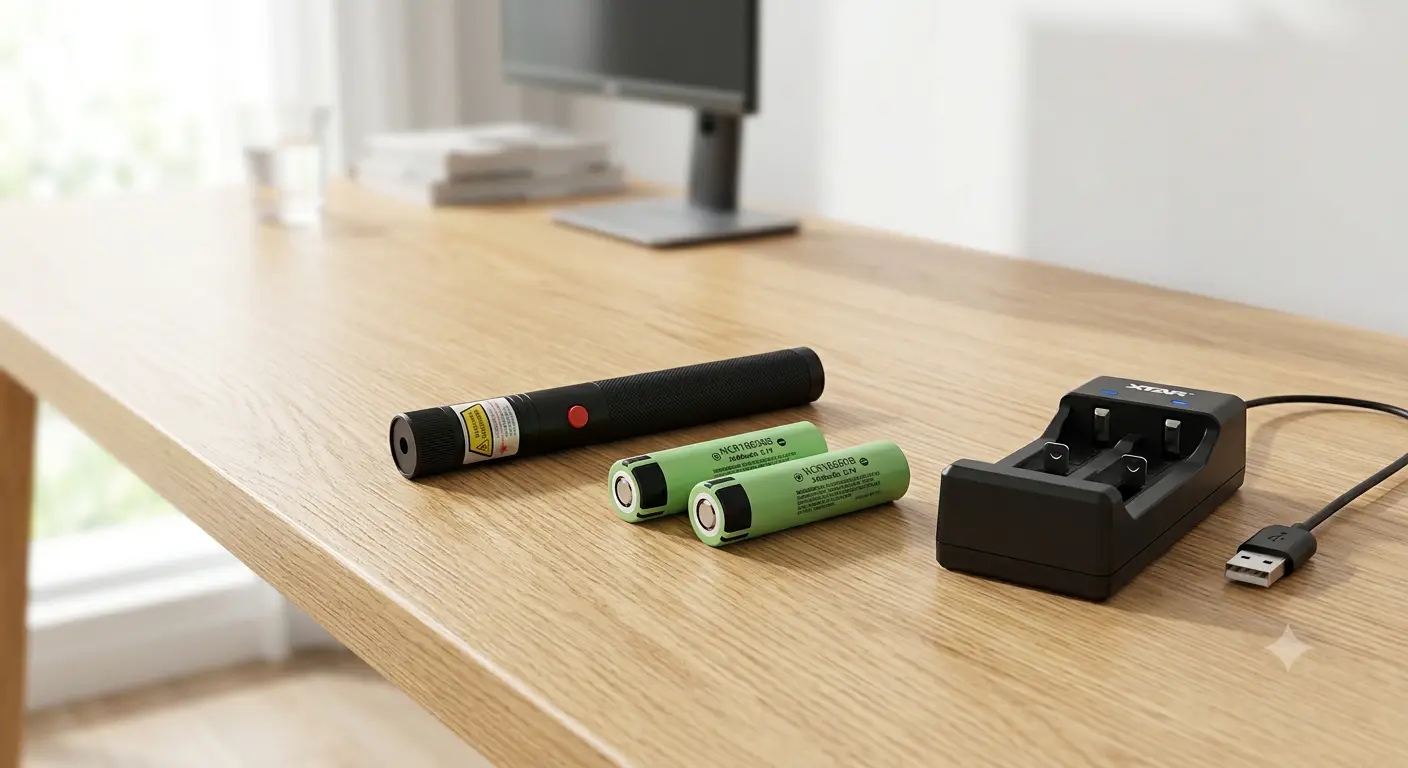
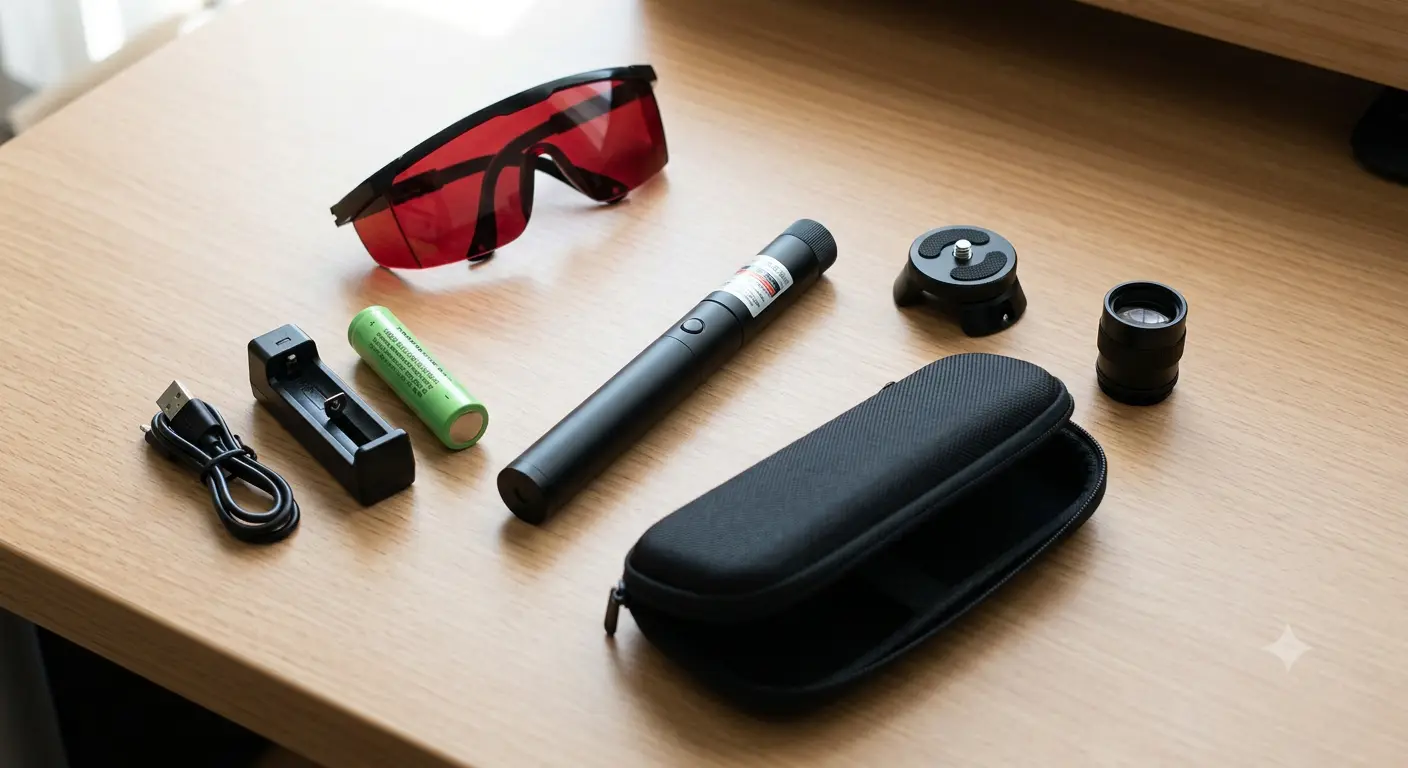
This is the pillar page for laser pointer accessories, a complete overview of the six accessory categories that determine whether your laser works reliably or frustrates you to death.
A laser pointer is only as good as the accessories that power, protect, and position it. Most users blame the laser when the beam dims, flickers, or dies on cold nights, but community reports on LaserPointerForums and r/lasers consistently show the battery, charger, or storage method is the real failure point more often than not.
Here's what the accessory landscape actually looks like in 2026, from the $3 DIY mount that outperforms $50 commercial brackets to the counterfeit 18650 cells still flooding marketplaces with 9999 mAh lies.
Key Takeaways
- No 18650 on the market holds more than 4000 mAh, anything labeled 5000, 9000, or 9999 mAh is counterfeit, period
- A 5W blue laser can drain a legitimate 18650 in under 5 minutes of continuous use; carrying spares is not optional
- Alkaline AAA cells die at 0°C; lithium primary CR123As keep working at -40°C, critical for winter astronomy
- The M9 × 0.5 thread on most handheld lasers is the common accessory interface, compatible with beam expanders, diffraction caps, and collimating lenses from multiple manufacturers
- A $3 conduit hanger + $5 ball-swivel head = a fully alignment-capable telescope mount that rivals $50 commercial brackets
Why Laser Pointer Accessories Matter More Than the Laser Itself
Walk through any laser pointer forum, LaserPointerForums, r/lasers, Cloudy Nights, and you'll find the same pattern: someone posts "my laser won't turn on," "beam got dim," or "died after a week." The replies almost always drill down to the same root causes: a counterfeit battery that sagged under load, a charger that lacked overcharge protection, or a plastic safety key that snapped and bricked the device.
The laser diode itself is rarely the weak link. The accessory chain, power delivery, thermal management, physical protection, optical tuning, determines whether you get 500 hours of reliable use or 5 hours of frustration.
Consider the full system: a Nichia diode laser with proper beam quality requires a constant-current driver that's sensitive to input voltage. A sagging 18650 drops from 4.2V to 3.2V under load, and a resistor-limited driver, the kind found in most budget lasers, cannot compensate. Output power decays measurably within the first 60 seconds. The user blames the "cheap laser." The real fix costs $8 for a legitimate Samsung 25R.
This guide covers the five accessory categories that determine whether your laser works reliably, travels safely, and performs at its rated spec. For the underlying physics of why bad power delivery destroys diodes, see our deep-dive on why cheap laser pointers burn out.
Laser Pointer Batteries: The Power Source That Makes or Breaks Your Laser
Deep-dive guide: For detailed 18650 comparison charts, capacity test results, and brand-by-brand recommendations, see our Laser Pointer Battery Guide.
Battery Type Quick Reference
The 18650 is the workhorse of high-power laser pointers. LaserPointerForums members have repeatedly documented how battery quality alone accounts for significant power variability between seemingly identical units, users reporting output swings of 30-40% just from swapping cells. The 18650 market is also the most fraudulent battery category on the internet.
The 9999 mAh Lie: How to Spot Counterfeit 18650s
Here's a hard fact: the maximum legitimate capacity for a production 18650 cell in 2026 is roughly 4000 mAh (Panasonic NCR18650G, Samsung 50E). Any cell labeled 5000, 6000, 8000, 9000, or 9999 mAh is counterfeit, no exceptions.
One Reddit user documented the full scale of the problem on r/18650masterrace: they bought 6 different "100% genuine" 18650 cells from AliExpress, all labeled between 4000 and 9999 mAh. After bench-testing every cell with a capacity tester, every single one fell below 1000 mAh. Some measured under 400 mAh, less than a tenth of their advertised rating.
So why do they still power your laser? Because they're genuine recycled cells, laptop pulls, medical equipment discards, shrink-wrapped with fake labels. They'll produce voltage initially. They just won't sustain it.
How to verify an 18650 before putting it in your laser:
-
Weigh it. A genuine high-capacity 18650 weighs 45-50g. Counterfeits often weigh 30-38g (less electrolyte, thinner casing).
-
Check internal resistance. Use a charger with IR measurement (Xtar VC4SL, SkyRC MC3000). A legitimate high-drain cell (Samsung 25R, Sony VTC6) measures 12-20 mΩ. Counterfeits routinely read 60-150 mΩ, internal resistance so high the voltage collapses under the 3-5A draw of a high-power laser.
-
Run a capacity test. Discharge at 0.5A and measure. If the cell labeled "4200 mAh" delivers 1100 mAh, you were sold recycled trash.
Buy from authorized distributors only (Liion Wholesale, Illumn, or 18650 Battery Store). Paying $6-8 per cell from these sources versus $2 from an unknown AliExpress seller is the cheapest insurance against a laser that "mysteriously dies."
How Fast Does a High-Power Laser Drain an 18650?
A 5W blue laser diode draws roughly 4-5A at the driver input. A high-quality 18650 (Samsung 25R, rated 2500 mAh) runs this load for about 25-30 minutes total, but not continuously. In practice, users on r/lasers report that Sanwu 5W+ pointers "chew through an 18650 in minutes" because the voltage sag under load triggers the driver's low-voltage cutoff long before the cell is truly empty.
For anything above 3W, carry at minimum 2-3 spare 18650s in a protective case. Never carry loose 18650s in a pocket or bag with keys, coins, or other metal objects, a short circuit across the terminals can cause thermal runaway and fire.
Need a laser that ships with quality batteries? Browse products with proper constant-current drivers and compatible 18650 tubes in our full collection.
Cold-Weather Battery Swap Matrix
If your green laser pointer works perfectly indoors but dies after 60 seconds outside on a winter night, the battery, not the diode, is the problem. Different chemistries behave radically differently below freezing:
An Australian astronomer on the IceInSpace forums described the classic scenario: his green laser would die outside on winter nights but work "first up when warm." After a diagnostic battery swap, he confirmed the batteries, not the diode, were losing voltage in the cold. Switching to Energizer Ultimate Lithium cells solved the problem permanently. A Cloudy Nights user running a Z-Bolt Emerald with lithium CR123As reported the same: the laser worked "flawlessly" at 15°F after the battery swap.
Chargers: Don't Let a $5 Charger Burn Your House Down
Deep-dive guide: For charger model comparison (Xtar vs Nitecore vs SkyRC), charge speed testing, and fire-safety case studies, see our Laser Pointer Charger Guide.
Laser pointer chargers fall into three categories, and two of them have serious problems.
USB-C Built-In Charging
Some 2025-2026 laser models, including our USB Rechargeable B017USB, integrate USB-C charging directly into the laser body. Convenience is the obvious advantage: no external charger to misplace, no battery removal. The telescopicwatch review team noted a practical downside, however: "we'll probably end up misplacing the charger, and a new one can cost as much as the laser and charger package itself did", which applies equally to dedicated external chargers. With USB-C built-in, at least the "charger" is the laser itself.
External Slot Chargers: The Two Tiers
Tier 1: Xtar, Nitecore, SkyRC, These chargers include:
- Independent channel monitoring (each slot charges independently)
- True CC/CV charging curve (constant current to 4.2V, then constant voltage float)
- Overcharge protection with physical circuit isolation between input power and battery contacts
- Optional: internal resistance measurement, capacity testing, USB output for power bank mode
Expect to pay $15-40 for a quality 2-4 bay charger. The Xtar VC4SL remains the community standard for 18650/26650 laser users.
Tier 2: Unbranded "free" chargers included with budget lasers, These are the dangerous ones. A Reddit r/batteries investigation found that many unbranded 18650 chargers bundled with cheap lasers lack basic isolation between incoming AC/USB power and the battery contacts. The result, as one user put it: "The exposed metal connections on the charger are not isolated properly from the incoming power, it is possible that these could cause a fire or shock."
Columbia University's lithium-ion battery safety guidelines reinforce this: proper isolation and overcharge protection are not optional features, they're the minimum safety baseline. The NREL energy storage safety program and UL's workplace lithium-ion battery safety standards both identify untested, non-isolated chargers as a primary fire risk in consumer Li-ion applications.
If your charger came free with a $20 laser, replace it. Multiple r/batteries and BudgetLightForum reports have documented bundled no-name chargers that lack proper charge termination, continuing to trickle-charge past 4.2V, a condition that degrades cell capacity and increases thermal runaway risk. A quality charger costs less than a replacement laser, and a lot less than a fire.
Key Shopping Criteria
- Independent channel monitoring: each slot charges independently, you can mix 18650 and 26650, full and empty cells, without damage
- True charge termination: the charger must detect the 4.20V ± 0.05V cutoff and stop current flow completely, not trickle-charge indefinitely
- Reverse polarity protection: inserting a battery backwards should trigger a warning LED, not a short circuit
Cases & Carrying: From Neoprene Sleeve to Pelican Hard Case
Everyday Carry
Most laser pointers ship with a basic nylon or neoprene sleeve. These handle scratches and pocket lint but offer zero impact protection. Higher-end models like our 1600mW Blue Laser ship with a proper aluminum carrying case, while the entry-level B012 is compact enough to pocket with just a lens cap.
For EDC (everyday carry) with a laser, look for:
- Rigid lens-cap retention (magnetic or threaded, not friction-fit)
- A belt clip or holster with positive retention (the BigLasers extra-large holster is designed specifically for handheld lasers with 25-30mm body diameters)
- At minimum, a semi-rigid zippered case with foam lining
Recommended models: The B017USB ships with an aluminum carrying case and starfield diffraction caps. The entry-level B012 is compact enough for pocket carry with a threaded lens cap for daily use.
Travel and Flight: TSA Rules You Need to Know
The TSA explicitly permits laser pointers in carry-on luggage. However, their official guidance includes a critical caveat: "The final decision rests with the TSA officer on whether an item is allowed."
For batteries, the FAA prohibits loose lithium batteries in checked baggage entirely. All Li-ion cells (18650, 26650, 16340) must travel in carry-on, with terminals protected against short circuits, either in the device, in a dedicated battery case, or with electrical tape over the terminals. The FAA lithium battery safety page provides the definitive packing chart.
International travel adds complexity: some countries (Australia, New Zealand, parts of EU) classify high-power handheld lasers as restricted imports regardless of TSA policy. Check destination-specific laser regulations before flying internationally with anything above 5mW.
Long-Term Storage: The Pelican 1300 Solution
For multi-laser collectors, traveling presenters, or astrophotographers with sensitive alignment gear, hard cases with custom-cut foam are the gold standard. An r/flashlight user demonstrated a two-layer Pelican 1300 build: hard base foam on the bottom layer, soft top foam with laser-cut slots matching body diameters, total cost under $80 including the case and foam kit from Pelican's foam configurator.
The foam protects against the most common laser storage failure: impact shock dislodging DPSS crystal alignment. Many "dead" green DPSS lasers didn't burn out, their KTP/Nd:YVO4 crystals physically shifted from a 3-foot drop onto concrete.
The LaserPointerForums community has documented this for years: "I've found dollar store red pointers to be pretty much impervious to any kind of damage from dropping." For most high-power handhelds, the case provides the shock resistance the laser lacks.
The Plastic Safety Key Problem
A warning from telescopicwatch's astronomy laser guide: "most of these keys are plastic, and you could easily accidentally break one and have the laser become inoperable." The barrel-style plastic safety keys found on many Class 4 lasers are known single-point failure items. If yours breaks inside the locked position, the laser is bricked until you extract the plastic stub and source a replacement. Store spare keys separately from the laser, not on the same keyring that's bouncing around in your bag.
Tripod Mounts & Brackets: Laser Pointer Accessories for Pointing Precision
Deep-dive guide: For mount compatibility charts, telescope-specific setups, and commercial bracket teardowns, see our Laser Pointer Mounts & Brackets Guide.
The Compatibility Problem
The most common mounting headache: you buy a telescope bracket or tripod clamp, and the ring doesn't fit your laser's body diameter. The Z-Bolt ASTRO series uses a 25mm body, the same outer diameter as many standard flashlight Picatinny mounts. But budget green lasers (Laser 303-style) often measure 14-22mm, and flagship handhelds can exceed 30mm.
Before buying any clamp, measure your laser's body diameter with calipers. Then check the mount's clamping range. For a deeper look at laser pointers optimized for telescope use and bracket compatibility, see our complete stargazing astronomy guide. Our Elite 520nm Green Laser ships with a 25mm body diameter compatible with most standard Picatinny flashlight mounts.
DIY $3 Telescope Mount vs. Commercial Options
The Cloudy Nights astronomy forum has an active DIY tradition of building laser mounts for under $5. The classic build:
- $2 conduit hanger (hardware store), serves as the clamp ring
- $3 ball-swivel tripod head (Amazon basics), provides angular adjustment
- Aluminum L-bracket or scrap aluminum bar, connects the two above
A user documented this on Cloudy Nights and concluded the complete mount, with angular fine-adjustment, matched or exceeded the pointing precision of $50-80 commercial brackets. Instructables hosts a full step-by-step build with parts list.
Cost comparison:
The "Always-On Bracket" Safety Warning
One of the strongest cautions in the accessory space comes from ANSI Z136.6 ("Safe Use of Lasers Outdoors") and is echoed in practical terms by telescopicwatch: never use a laser pointer in a bracket that leaves it continuously on.
A telescope-mounted laser sweeping with the mount's movement can cross aircraft flight paths, hit neighboring telescopes, or strike observers walking through the beam zone. The FAA reported 12,840 laser strikes in 2024 and 10,993 in 2025, a 14% year-over-year decrease, but still dangerous. ANSI Z136.6 specifically addresses outdoor-use control measures including buffer zones, observer protection, and goggle OD calculations for fixed-mount laser applications.
Beam Tools: Expanders, Diffraction Caps & M9 × 0.5 Thread Compatibility
Deep-dive guide: For beam expander magnification math, lens quality comparisons, and diffraction cap safety testing, see our Laser Pointer Beam Tools Guide.
What a Beam Expander Does (With Real Numbers)
A beam expander is a reversed telescope mounted on the front of your laser. It widens the beam diameter at the aperture, which reduces divergence by exactly the expansion factor.
The math: a 3× beam expander reduces divergence to one-third of the original. Take our 4W Nichia Precision B022: with a native divergence of ~1.2 mrad, a 3× expander brings it down to 0.4 mrad. At 1 km, the spot shrinks from 1.2 meters to 0.4 meters — a 3× increase in power density on target.
As Edmund Optics explains in their beam expander application notes, the expansion factor directly trades beam diameter at the aperture for reduced divergence at distance. For burning applications, this means the same laser with a 3× expander can ignite materials at 3× the distance, or burn the same target faster at the original distance.
Beam expander models available for M9 × 0.5 threads:
| Expander | Magnification | Compatible Thread | Typical Use |
|---|---|---|---|
Compatible laser models from our collection:
All models above feature M9 × 0.5 front threads — simply unscrew the stock cap and thread on the expander.
M9 × 0.5: The Universal Thread Standard
Almost all handheld laser pointers with removable front caps use M9 × 0.5 threads. This single standard makes the entire accessory ecosystem cross-compatible:
The Diffraction Cap Warning
This is one of the most insidious safety hazards in the laser accessory world. Telescopicwatch and r/lasers both document the same scenario: a user unscrews the front cap to install a kaleidoscope diffraction grating. But on many DPSS green lasers, the infrared-blocking filter sits just behind the front cap, and unscrewing the cap removes the IR filter along with it.
The result: the laser still produces visible green light (the 532nm KTP output), but the invisible 808nm and 1064nm pump light, which the IR filter was blocking, now streams out the front unfiltered. The user sees green, assumes it's safe, and has no idea they're being hit with infrared radiation that can damage the retina without triggering a blink reflex.
Before installing any diffraction cap or beam expander, verify whether the accessory sits in front of or replaces the IR filter. If in doubt, test the output with an IR detection card, not your eyes.
Safety Gear & Verification Tools: Goggles, LPMs & OD Math
Deep-dive guide: For goggle model comparisons (Eagle Pair vs FreeMascot vs Thorlabs), VLT measurements, and LPM calibration methods, see our Laser Safety Gear Guide.
Laser Safety Goggle OD Selection
Most laser accessory buyers pick goggles based on a vague "OD 5+" rating without knowing what OD means or whether it applies to their wavelength. UC Berkeley's EHS Laser Safety Manual (Appendix E) spells out the correct approach: OD (Optical Density) must be calculated against the specific wavelength and power of your laser, referencing the ANSI Z136.1 Maximum Permissible Exposure (MPE) tables.
The simplified consumer formula:
OD = log₁₀(laser_power_mW / MPE_mW)
For a 1W (1000 mW) 450nm blue laser, with an MPE of roughly 2.5 mW/cm² for a 0.25-second exposure:
OD = log₁₀(1000 / 2.5) = log₁₀(400) = 2.6
So OD 3+ goggles are mathematically sufficient for a direct-beam strike from 1W at 450nm. The "OD 5+" goggles commonly sold can handle even higher, but only if they're rated for the right wavelength range. A set of OD 6 goggles for 1064nm IR provides zero protection against 450nm blue.
Key shopping criteria:
- Wavelength range must match your laser. A goggle rated "OD 4+ at 190-540nm" covers 450nm blue but not 650nm red.
- Visible Light Transmission (VLT), higher VLT means you can actually see what you're doing while wearing the goggles. OD 6 goggles often have VLT below 20%, making fine alignment work nearly impossible.
- Certification marking, look for ANSI Z136.1 or EN 207 markings, not just a generic "laser safety" label.
For a deeper exploration of goggles, see our complete laser safety glasses guide. For broader laser safety practices including FDA classifications and aviation regulations, read our comprehensive laser pointer safety guide.
Laser Power Meter (LPM): The Ultimate Verification Tool
A Laser Power Meter measures actual mW output, the only way to verify whether your laser delivers what the label claims. Laser Power Meter(rated 1 mW–10 W) is one of the few consumer-accessible LPMs. NIST testing of green laser pointers previously found that over 50% of units tested exceeded their labeled power by more than 100%, meaning a "5 mW" pointer actually output 20-50 mW, well into eye-hazard territory.
An LPM answers questions that no spec sheet can: Is your "5000 mW" eBay laser actually 5000 mW? (Almost certainly not.) Did your 18650 voltage sag cause power drop? (Test before and after a full charge cycle.)
Is the IR filter intact? Compare total output vs. visible-pass-filtered output, the difference is IR leakage.
The Laser Pointer Accessory Compatibility & Verification Matrix
This table cross-references every major accessory category with its compatibility spec, a user-runnable verification test, and the authority standard that governs it. No other laser accessories guide online provides this integration.
Build vs. Buy: What to Splurge On and What to DIY
After testing and comparing across the accessory categories, here is where your money goes furthest, and where a few dollars and a trip to the hardware store beats a commercial product.
Splurge on:
-
18650 cells, $6-8 per cell from authorized distributors vs. $2 counterfeits. The price difference is the cost of not having your laser die mid-session.
-
Charger, $25 for an Xtar VC4SL vs. the free bundled charger. This is a fire safety decision, not a convenience decision.
-
Safety goggles, wavelength-correct OD-rated goggles. The Berkeley EHS calculation is unforgiving: wrong OD + right power = eye damage. Use our OD calculator recommendations to find the correct goggle rating, and browse our laser collection for units that specify wavelength so you can match your goggles precisely.
DIY or budget:
-
Telescope mount, $3-8 conduit-hanger build vs. $50+ commercial bracket. Functionally equivalent for alignment precision.
-
Hard case foam, Pelican foam configurator lets you cut exact slots at home. A Pelican 1300 + custom foam kit runs ~$70 total vs. $150+ for pre-cut commercial laser cases.
-
Kaleidoscope cap, $5.99 GloFX cap. Just verify IR filter retention before use.
Frequently Asked Questions
What batteries do laser pointers use?
Laser pointers use batteries ranging from AAA/AA alkaline (low-power presentation pointers), LR44 button cells (keychain units), CR123A lithium primaries (astronomy lasers), to 16340 and 18650 Li-ion rechargeables (high-power handhelds above 1W). The 18650 is the most common for burning and high-power applications. Always check your laser's manual for the specific battery type and voltage, inserting a 3.7V 16340 into a device expecting a 3.0V CR123A can damage the driver.
Are 9000 mAh or 9999 mAh 18650 batteries real?
No. The maximum legitimate capacity for a production 18650 cell is approximately 4000 mAh. Any cell labeled above 4000 mAh is a counterfeit, typically recycled cells with inflated labels. Independent testing by flashlight and battery communities has repeatedly confirmed these cells deliver 400-1100 mAh actual capacity.
Why does my green laser die in cold weather?
The battery, not the laser diode, is almost always the problem. Alkaline AAA/AA cells lose roughly 80% of their capacity at 0°C (32°F). The solution: swap to CR123A lithium primary cells (rated to -40°C) or Energizer Ultimate Lithium cells for cold-weather use.
Do I need laser safety glasses for a 5 mW laser pointer?
For outdoor pointing at distant targets (stargazing, presentations), the risk of beam reflection into the eye is minimal. For any close-range use, open-beam alignment indoors, or use around reflective surfaces, wear wavelength-matched OD-rated goggles. UC Berkeley EHS guidelines recommend laser protective eyewear anytime the open beam exceeds the ANSI Z136.1 MPE, which a 5 mW visible laser can exceed for direct intrabeam viewing. Regulations vary by country, so check local laws and always err on the side of caution.
What thread size are most handheld laser caps?
M9 × 0.5 is the most common front-cap thread standard for handheld laser pointers with removable caps. This single standard is compatible with 3X/5X beam expanders, kaleidoscope diffraction caps (GloFX), collimating lenses, and aftermarket focusing rings from multiple manufacturers. Always verify thread compatibility before purchasing any front-mounted accessory.
Can I put 18650 batteries in any laser pointer?
No. The laser driver must be rated for 3.0-3.7V input. Lasers designed for two CR123A cells (6.0V) will be underpowered with a single 18650. Always check the driver's input voltage range first, forcing a higher voltage into an under-rated driver will destroy it instantly.